Users and Profiles
Dressing up your Creative Buddy
Reward your little makers with stars that can be redeemed for adorable creative buddy accessories
Last updated September 15, 2026
Making is more fun with a buddy, and the GlueStick creative buddies love crafting up a good time. The more you make, the more you’ll unlock and the more stars you’ll earn to dress them up for every occasion.
How to choose and dress up your buddy
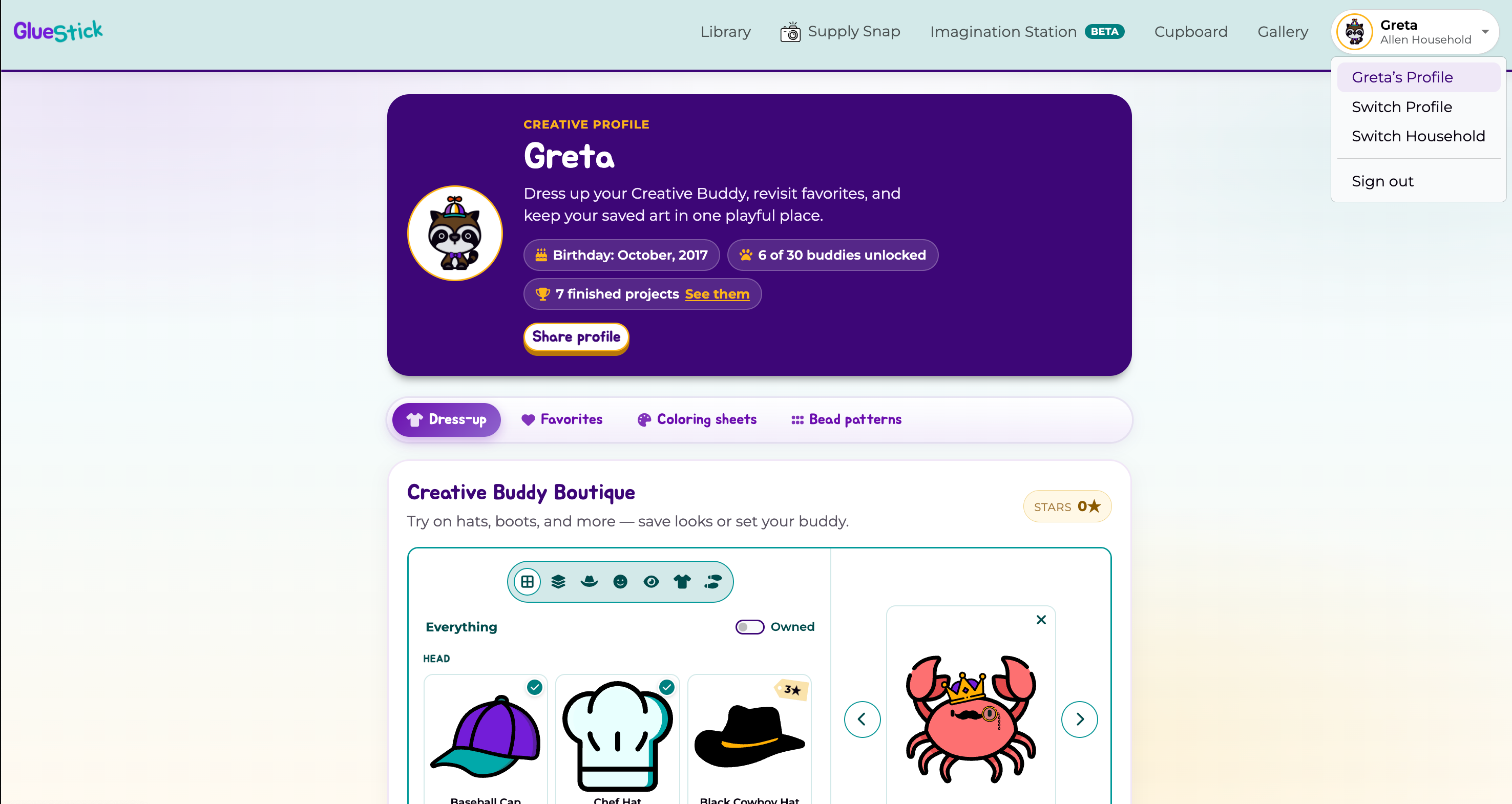
- Sign in and open your Profile page from the drop down in the upper right corner.
- Choose the Dress-up tab to see the Creative Buddy Boutique
Unlocking Buddies
There are over two dozen different creative buddies you can unlock and make with in GlueStick. The more you create, the more likely you are to unlock a new buddy. Buddies are rewarded when you clean up your supplies. If a supplies animation features a buudy, you’ll unlock it when you check the box to say the supply was put away.
Earning Stars
Stars are earned every time you complete a project. Your star balance appears in the boutique header. To earn stars…
- You must either put away and check off all of your supplies or tell us you’ve shown off your masterpiece to a caregiver to earn a star. Every project completed earns at least one star.
- A grown-up can award up to two more stars per project for a job well done. GlueStick encourages caregivers to reward creativity, ingenuity, and tidying up with additional stars.
Try on accessories
In the Creative Buddy Boutique:
- Choose the buddy you want to dress. Use Previous buddy / Next buddy to move through unlocked buddies and preview the ones you still haven’t unlocked.
- Browse accessories using the categories in the header of the left pane. Categories include Everything, Outfits, Head, Face, Eyes, Body, and Feet.
- Use the Owned toggle to show only accessories you’ve unlocked or purchased.
- Tap accessory tiles to try them on. At most one accessory per category may be worn at a time.
- Tap the X in the upper right corner of the dressing area to remove all accessories at the same time
Buy an outfit and set your buddy
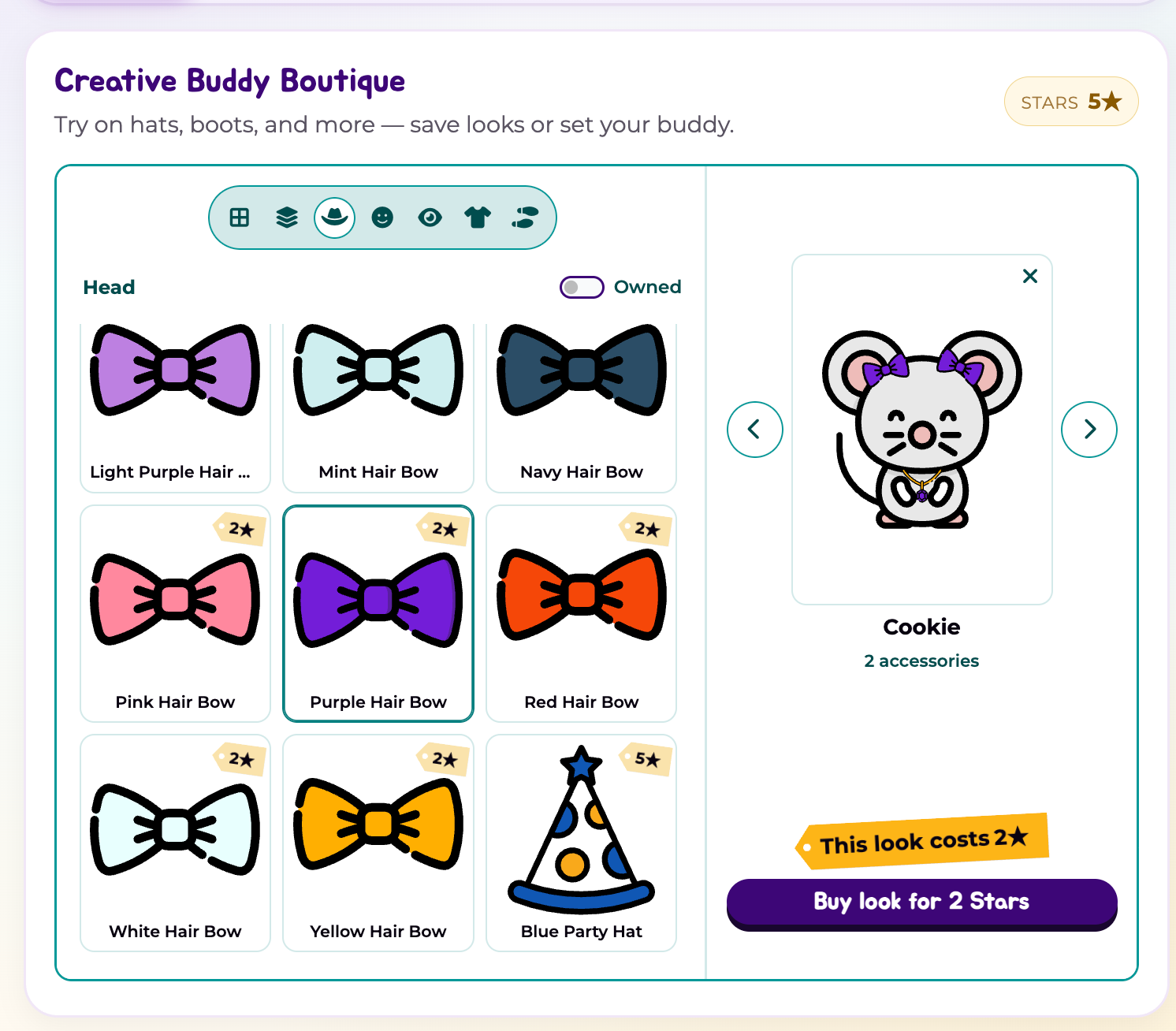
- If you dress your buddy in items for sale, the price tag will show the cost to buy the outfit. Click Buy look to purchase the accessories and invite this buddy to create with you in their new outfit.
- If you own all of the accessories you’ve dressed the buddy in, click Set as Buddy to make the buddy your creative companion.
- Once you buy an accessory, you can use it on any of your compatible unlocked buddies. Not all accessories can by warn by every buddy.
- You can only buy accessories for your active profile. Accessories are owned by the profiles. Children and caregivers within a household must all earn stars and purchase accessories for their own unique buddies. For more info about your GlueStick household, see Your GlueStick household.
Save outfits
- The Save Outfit button appears when the current look has no unowned accessories
- You can name your look to make it easier to find.
- Saved outfits appear under the Outfits category to make it easier to wear them again later.
- You can delete outfits you saved, except for the Greta GlueStick outfit you started with and the outfit that is currently worn by your active buddy